What is an Auto Import Error?
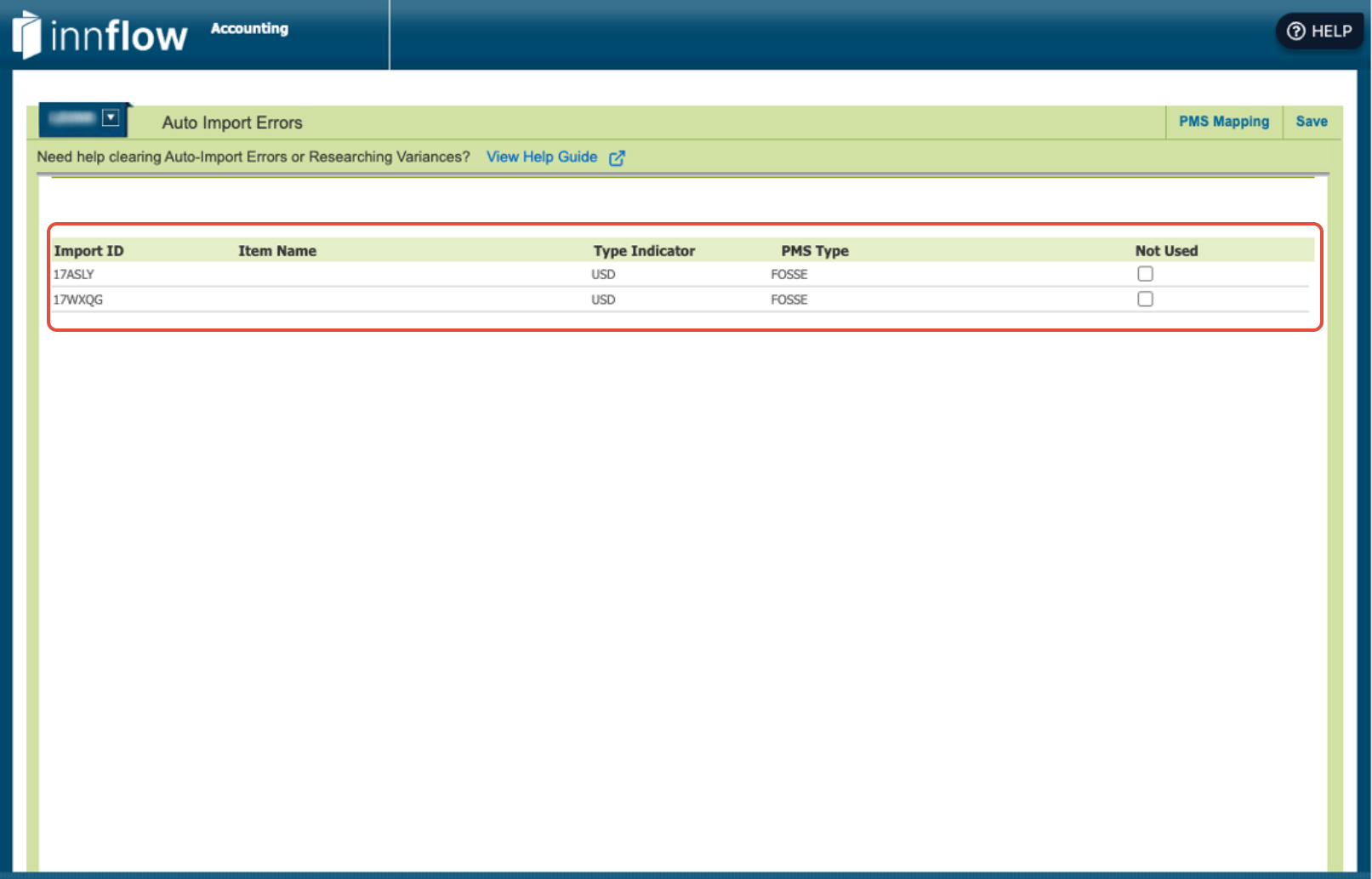
Within Daily Activity, an Auto Import Error most commonly occurs when a new rate code or PMS charge code is introduced that does not yet have a corresponding main code / mapping set up in Inn-Flow. Rate codes are most common, and affect segmentation.
Because Inn-Flow doesn’t know where that new code should post, the system:
- Imports the daily activity data
- Flags it as an error
- Prevents it from posting automatically
Once the new code is created and mapped:
- The import can be reprocessed
- The variance will clear
- The code automatically import moving forward
How to Fix an Auto Import Error for a Rate Code?
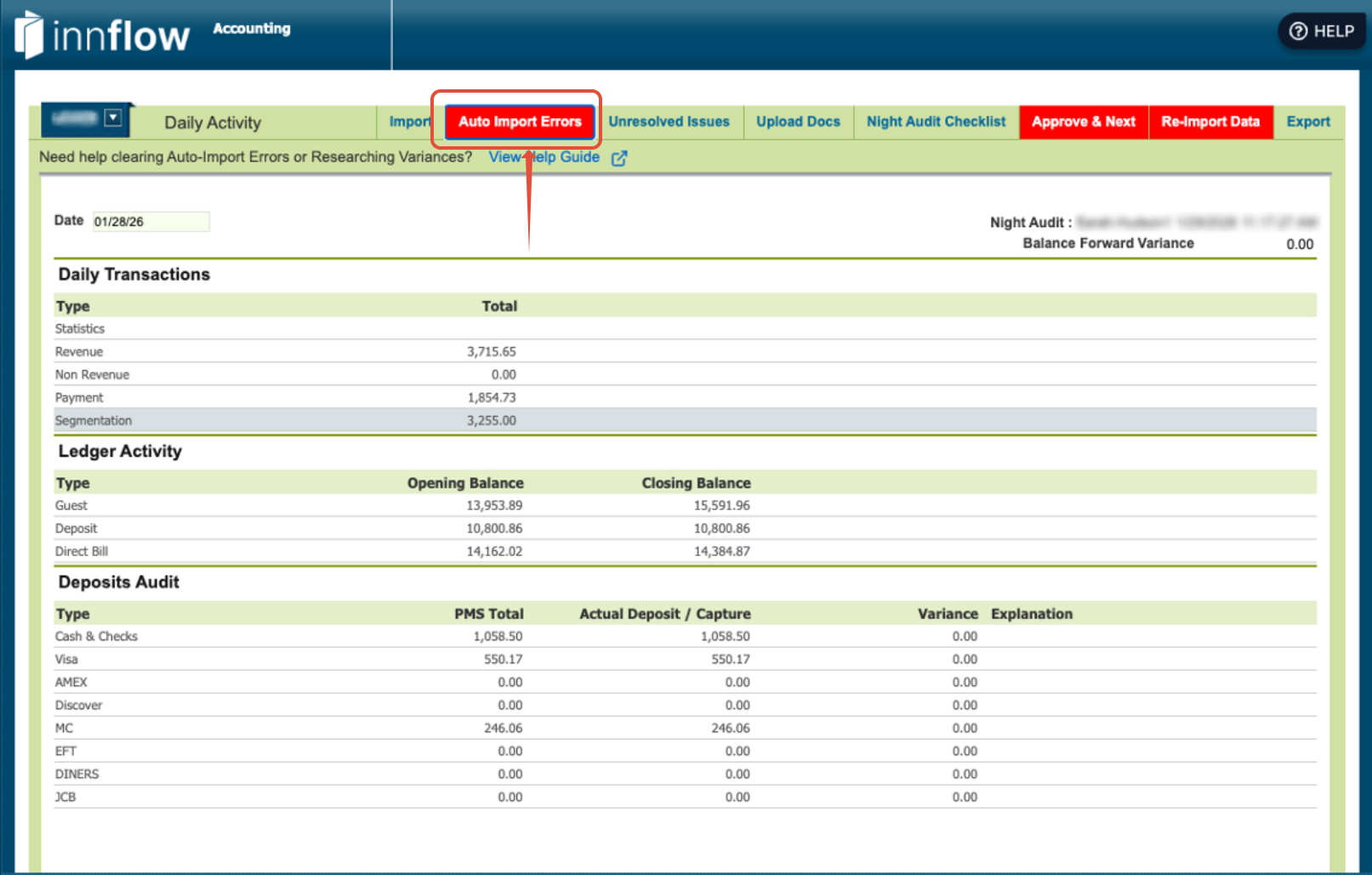
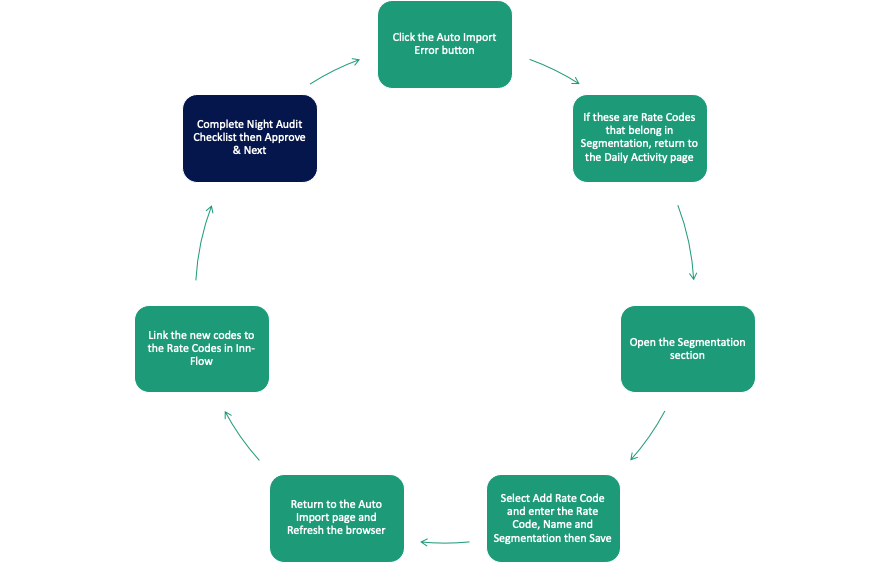
Step 1: Click on the Auto Import Error Button
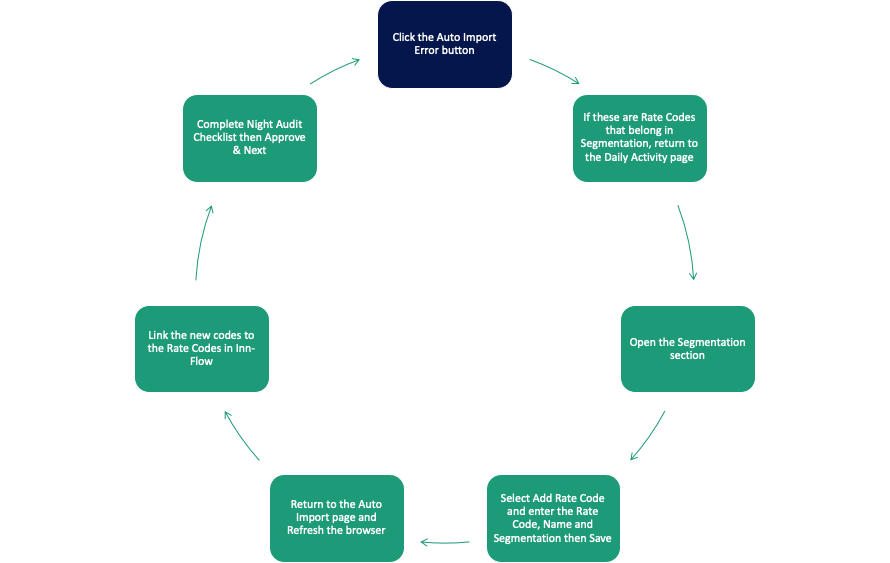
Step 2: If these are Rate Codes that belong in Segmentation, return to the Daily Activity Page
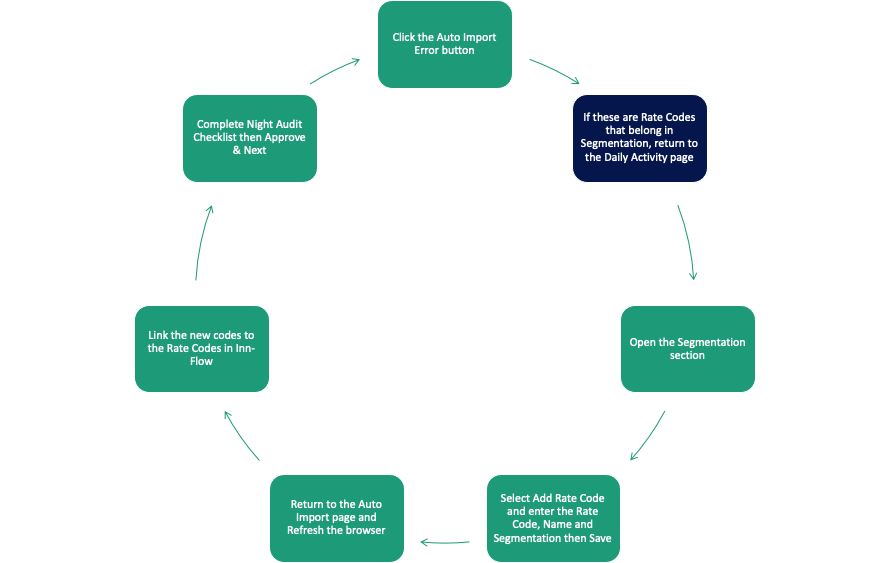
Step 3: Open the Segmentation Section
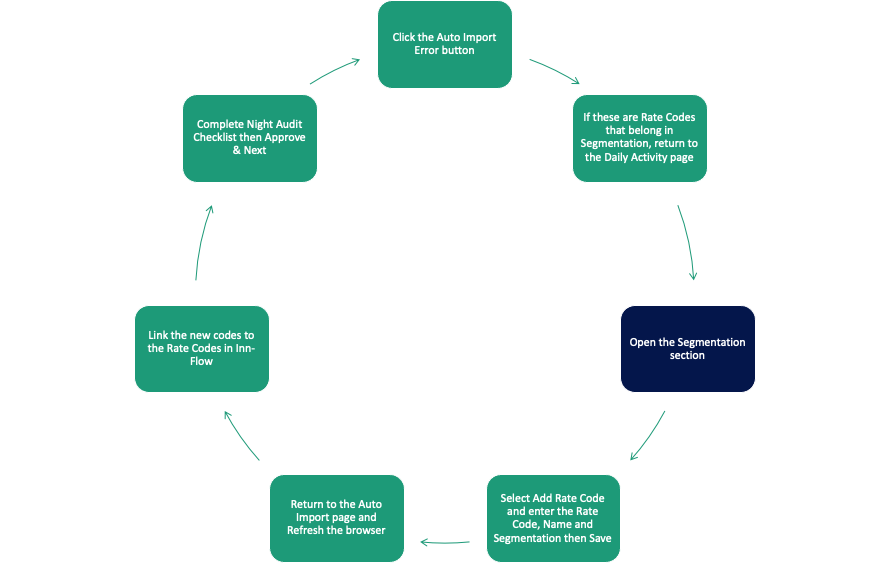
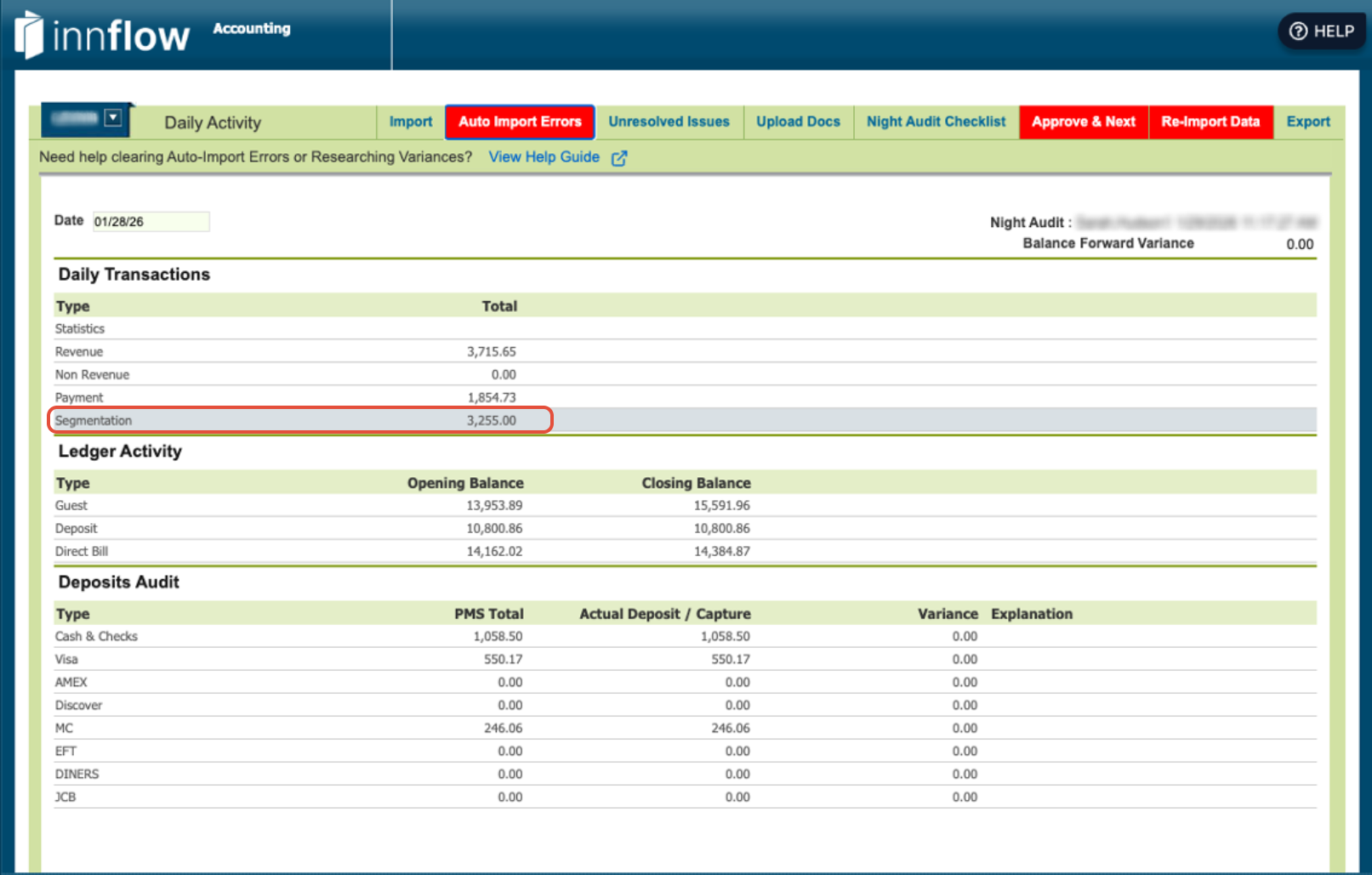
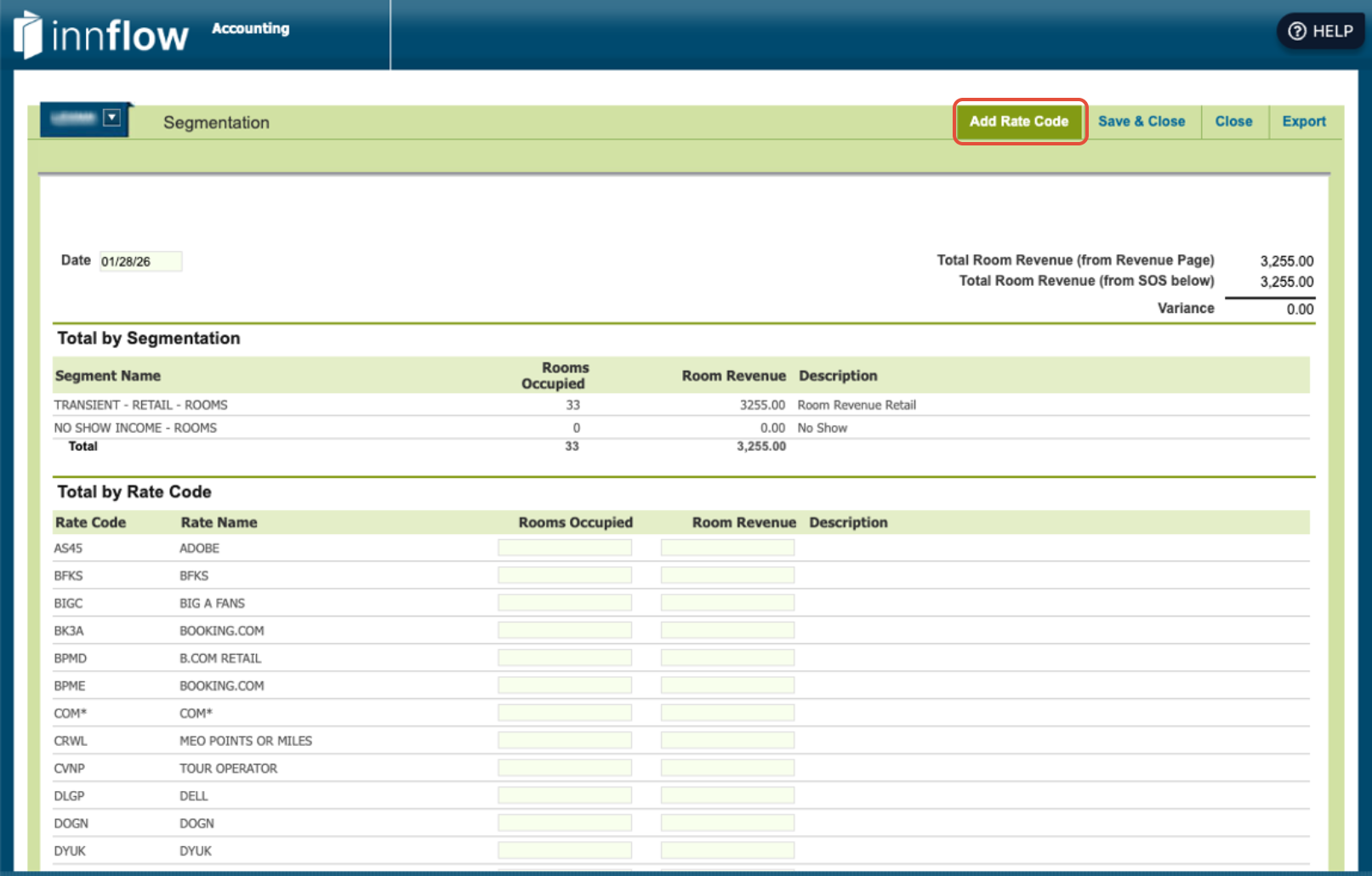
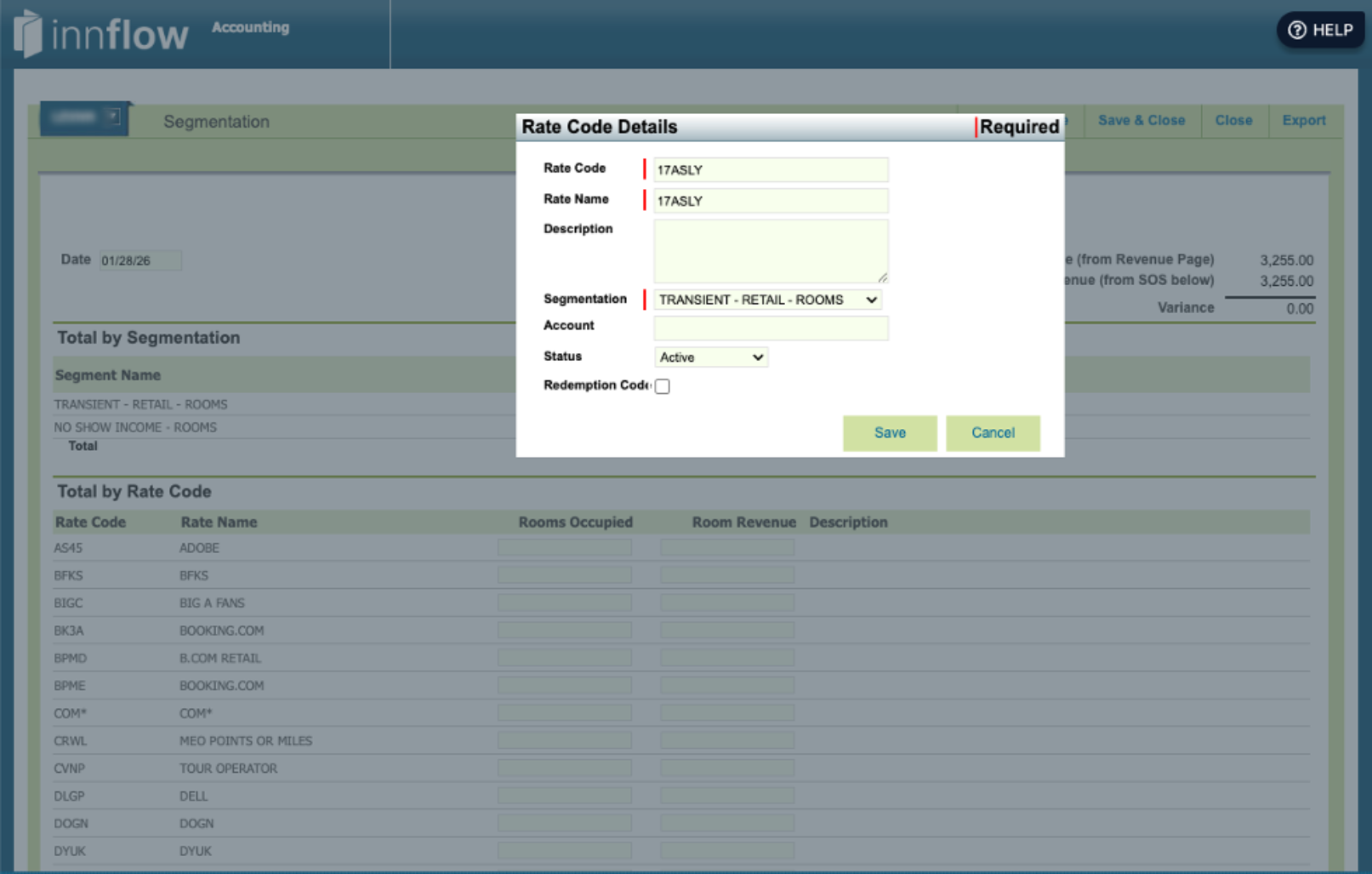
Step 4: Select Add Rate Code. Enter the Rate Code, Name and Segmentation then Save.
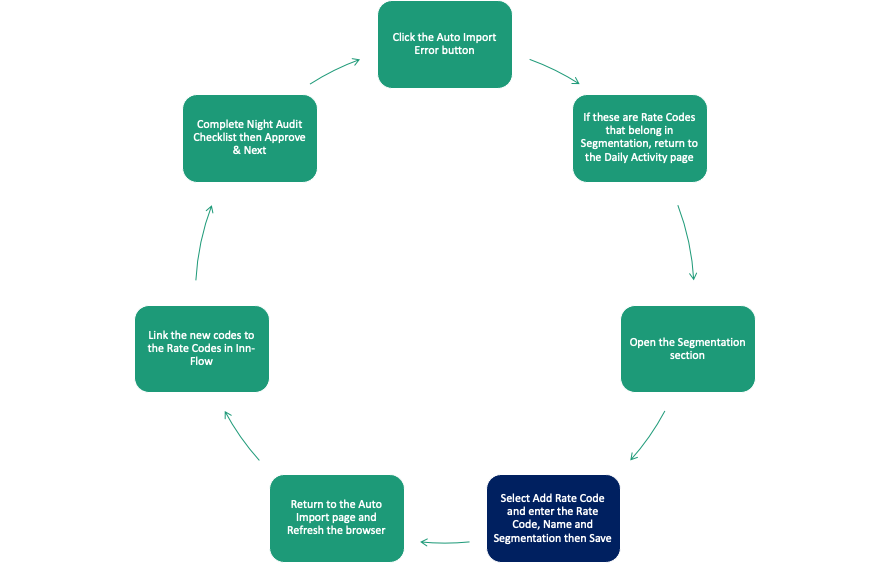
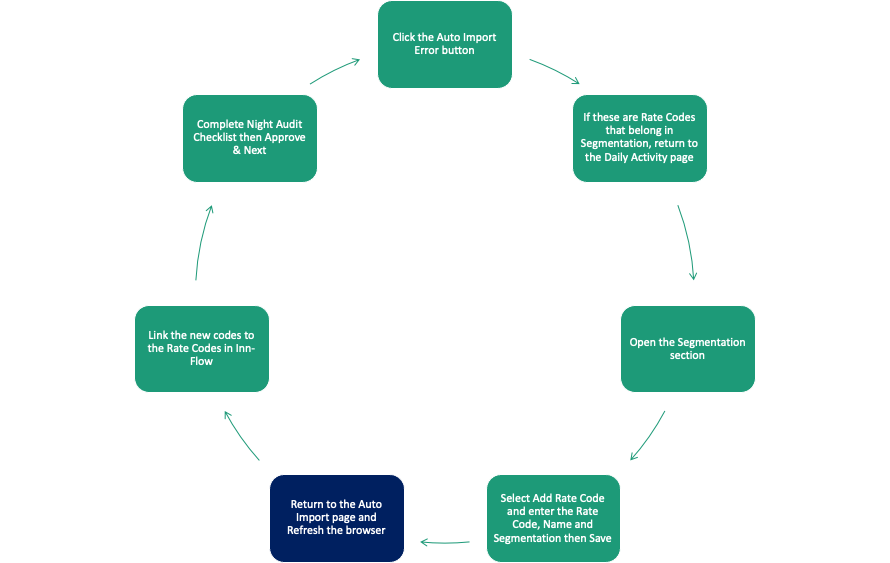
Step 5: Return to the Auto Import page and Refresh the browser
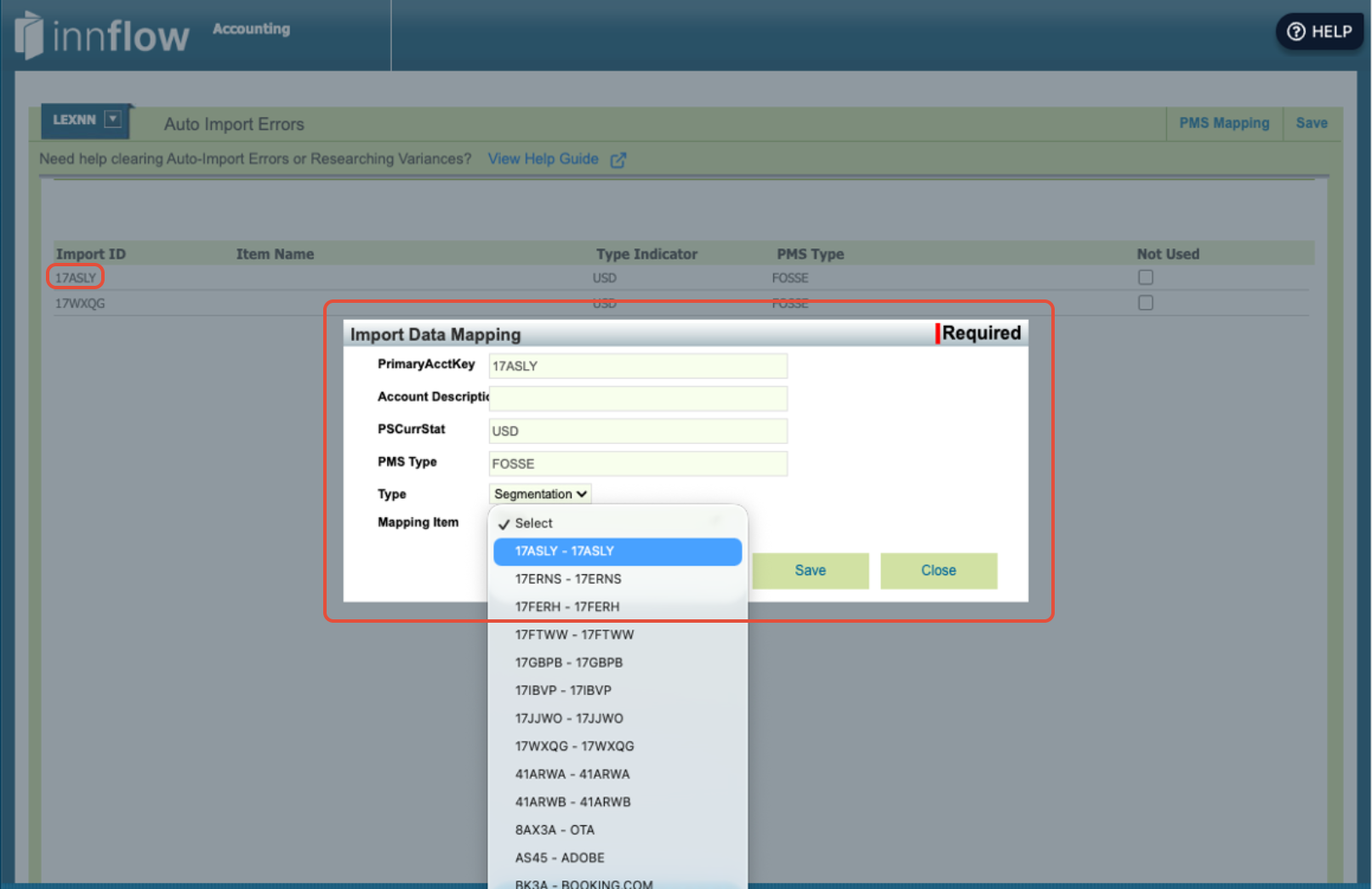
Step 6: Link the new codes to the Rate Codes in Inn-Flow
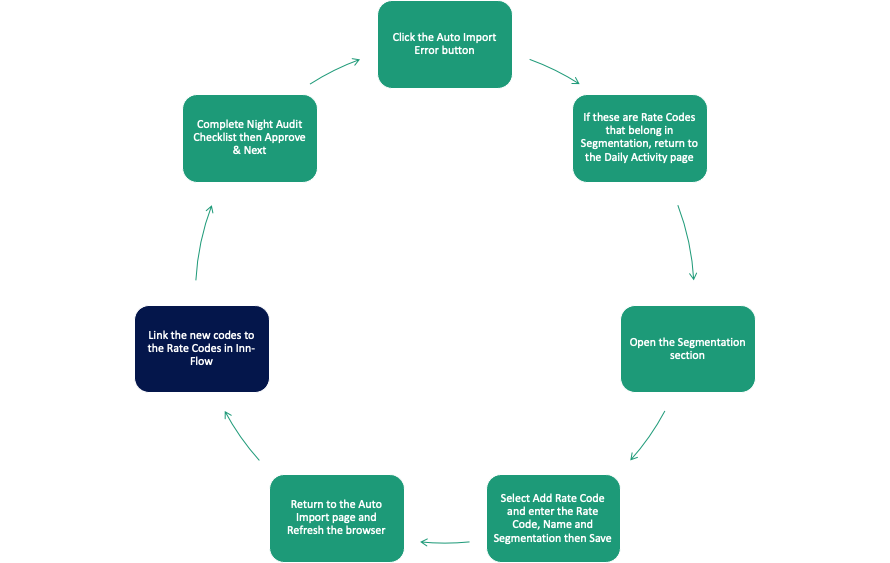
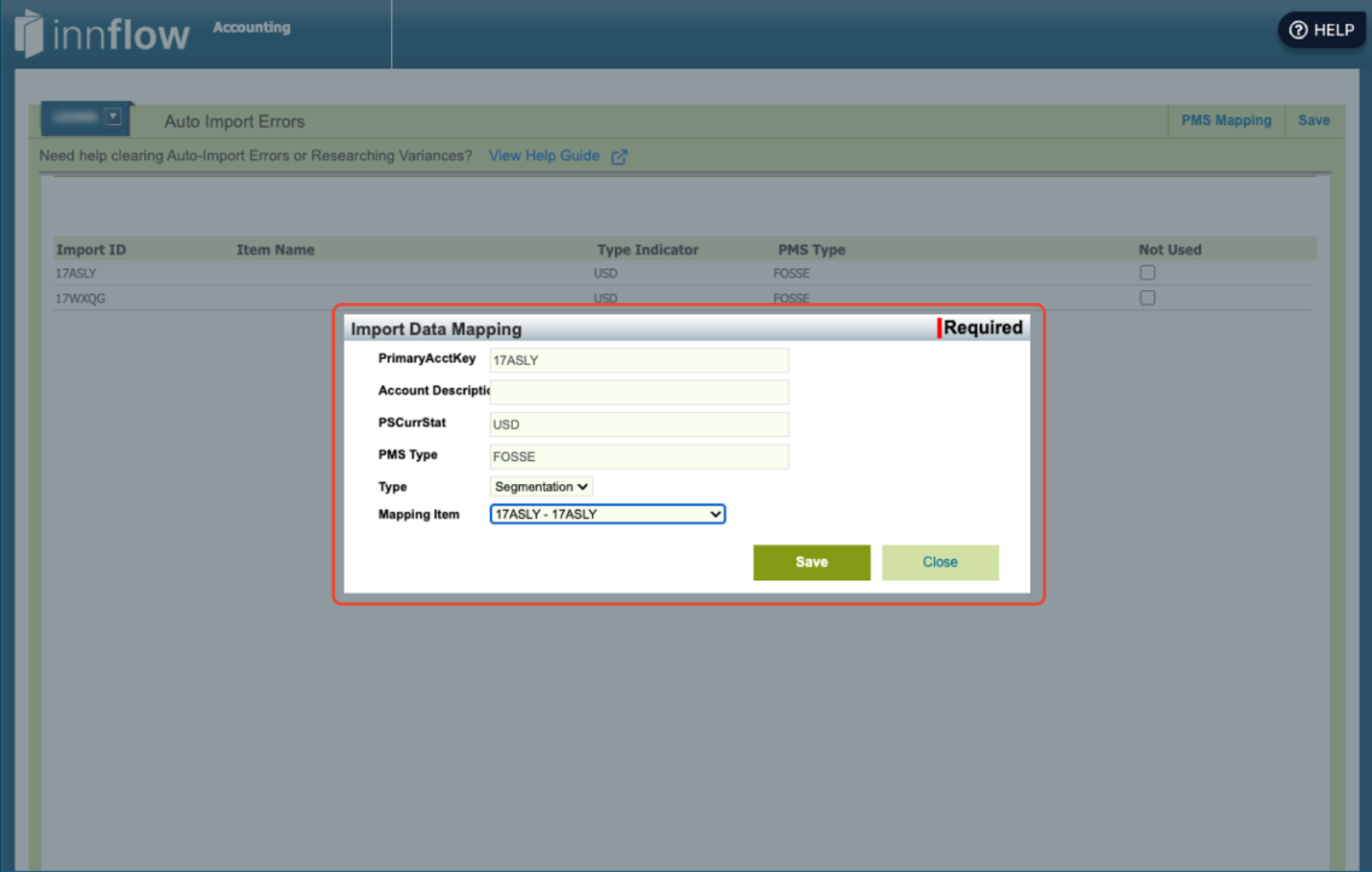
Step 7: Upload Backup Docs, Complete the Night Audit Checklist, then Approve & Next.

Was this article helpful?
That’s Great!
Thank you for your feedback
Sorry! We couldn't be helpful
Thank you for your feedback
Feedback sent
We appreciate your effort and will try to fix the article